



















You’re planning a Kahoot quiz for your classroom, friends, or coworkers, but before everyone joins, you need to know how many people can play at once.
The answer isn’t the same for every account. Some free users can host 10 players, while K–12 teachers can invite 40 without paying. Paid subscriptions support larger groups, and certain plans offer different limits for live games and self-paced assignments.
Understanding these differences can help you choose the right plan, avoid problems during a live quiz, and make sure everyone in your group can participate.
Quick Answer
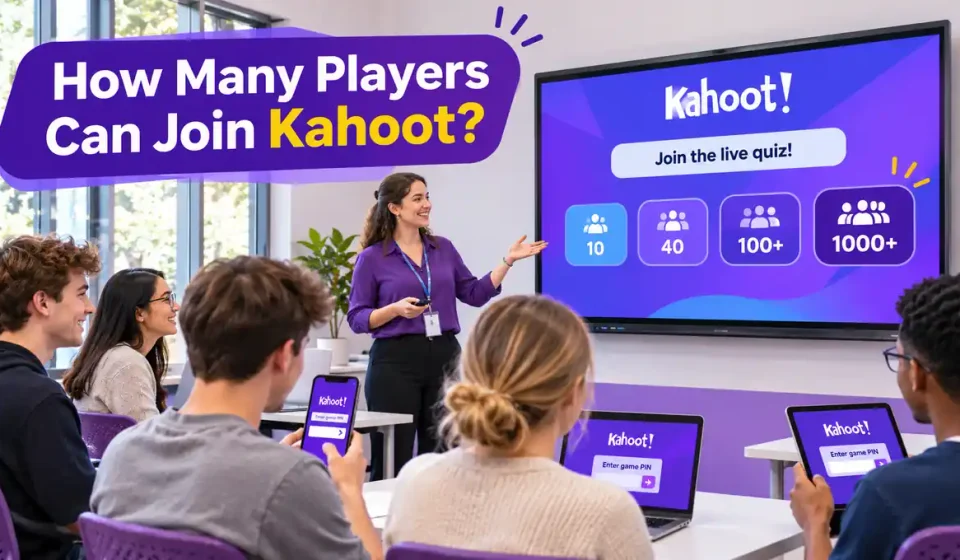
How many people can join a Kahoot depends on the host’s plan. Free Kahoot! Go accounts typically support 10 live players for personal, student, and higher education users, while free K–12 teachers can host 40. Free business accounts generally allow only 3 people in self-created games. Paid plans range from 50 to 5,000 live participants depending on the subscription. Some Kahoot! EDU Pro School & District assignments allow 10,000 participants, but only 2,000 can join a live session on that plan. Check your account and workspace before hosting.
How Many Players Can Join a Free Kahoot?
Kahoot doesn’t apply one player limit to every free account. Your available capacity depends on how you registered, whether you’re using the platform for school or business, and which subscription is active.
According to Kahoot’s official participant-limit guide, the free Kahoot! Go plan supports different group sizes across account categories.
| Free Account Type | Live Players | Assignment Participants |
|---|---|---|
| Personal or Family | 10 | 10 |
| Student | 10 | 10 |
| K–12 Teacher | 40 | 40 |
| Higher Education Teacher | 10 | 10 |
| Free Business — Self-Created Game | 3 | Depends on account eligibility |
These limits apply to individual sessions, not the total number of people who can ever play your quizzes.
Personal and Student Accounts: 10 Players
A free personal account generally allows 10 participants in one live Kahoot. That’s enough for a small family gathering, a study group, or a quiz with several friends.
The same limit applies to free student accounts and free higher education teacher accounts under Kahoot! Go.
For example, if eight friends want to play a quiz together, a free personal account should have sufficient capacity. If 15 friends want to participate simultaneously, the 10-player limit won’t accommodate everyone.
Students under 13 in the United States also have additional account protections. Under Kahoot’s current guidance, young students using the free plan are limited to 10 players in Classic Mode and cannot make their own quizzes public.
Free K–12 Teacher Accounts: 40 Players
Kahoot offers a higher free allowance to teachers registered under the K–12 account category.
A free K–12 teacher can host up to 40 participants in a live game. This means a typical class of 25 to 35 students can usually participate together without a paid subscription.
However, a college instructor shouldn’t assume the same allowance applies. Kahoot lists a 10-player free limit for higher education teacher accounts.
If you’re unsure which features are available without payment, our guide to Kahoot free features explains the distinction between free access and paid subscriptions.
Why Are Free Business Accounts Limited to 3 Players?
Business accounts follow different rules from personal and education accounts.
Kahoot’s official guide states that free business users can host only 3 participants in games they create from scratch. That’s considerably lower than the free K–12 teacher allowance.
Kahoot! 360 Express has a different limit: 15 participants in self-created games, with each live session limited to 15 minutes.
There is also a documentation inconsistency worth knowing. The main participant guide lists a 3-player limit for free business users hosting Discover and Free Resources games, while its FAQ mentions up to 50 players for selected ready-made Kahoot! at Work content.
These statements don’t fully agree. If you’re organizing a work meeting, check the capacity shown for your exact account and game rather than assuming every ready-made quiz permits 50 participants.
Kahoot Player Limits by Subscription Plan
Paid subscriptions can support larger audiences, but the number depends on the exact plan you choose.
Kahoot provides separate options for individuals, teachers, schools, universities, businesses, and one-time events. A paid account doesn’t automatically include unlimited participants.
Personal, Student, and Education Plans
The following numbers are based on Kahoot’s official player-limit tables updated in October 2026.
| Subscription Plan | Live Players | Assignment Participants |
|---|---|---|
| Kahoot!+ Bronze | 50 | 50 |
| Kahoot!+ Silver | 100 | 100 |
| Kahoot!+ Gold | 200 | 200 |
| Kahoot! One | 800 | 800 |
| Kahoot! One Max | 2,000 | 2,000 |
| Kahoot! One Ultra | 4,000 | 4,000 |
| Kahoot! EDU Standard — School & District | 800 | 800 |
| Kahoot! EDU Pro — School & District | 2,000 | 10,000 |
| Kahoot! EDU Pro — Higher Education | 2,000 | 2,000 |
For example, if a teacher wants to run a quiz with 90 students simultaneously, a plan supporting 100 participants could meet that requirement.
For an event involving 350 people, a plan limited to 200 wouldn’t be enough. The host would need an eligible higher-capacity subscription.
Notice the difference between the K–12 EDU Pro live and assignment limits. That plan supports substantially more people in a self-paced assignment than in a live session.
Business and Event Plans
Kahoot also offers business subscriptions for meetings, professional training, and large events.
| Business or Event Plan | Maximum Live Players |
|---|---|
| Kahoot! 360 Pro Start | 50 |
| Kahoot! 360 Pro Standard | 200 |
| Kahoot! 360 Pro Plus | 1,000 |
| Kahoot! 360 Pro Max | 2,000 |
| Kahoot! 360 Pro Ultra | 5,000 |
| Kahoot! 360 Event Standard | 200 |
| Kahoot! 360 Event Plus | 1,000 |
| Kahoot! 360 Event Max | 2,000 |
| Kahoot! 360 Event Ultra | 5,000 |
These are the published limits associated with the named plans. They don’t apply to every subscription or guarantee that a large event will work without additional preparation.
For certain large-event offerings, Kahoot requires onboarding and an optimized game mode before a 5,000-person session can be hosted.
The precise requirements depend on the event package. Always confirm the tier’s terms rather than relying only on the headline capacity.
What Is the Maximum Number of Kahoot Players?
For the plans covered by Kahoot’s current documentation, eligible business and event subscriptions can support up to 5,000 participants in one live session.
Some educational subscriptions support 4,000 live players, while the special K–12 EDU Pro assignment allowance reaches 10,000.
This is why older articles mentioning a universal maximum of 2,000 participants may be outdated. The current answer depends on both the plan and whether the game is live or assigned.
Live Games vs Assignments: Do Player Limits Differ?
Kahoot allows hosts to present games live or assign them for independent completion. Both use Kahoot quizzes, but they provide different ways to participate.
A live game happens in real time with a host. An assignment lets people answer questions independently during the period set by the creator.
How Live Player Limits Work
When a host starts a live Kahoot, participants join that particular session using its PIN, QR code, or direct link.
The applicable subscription determines how many participants can enter.
For instance, a K–12 teacher on Kahoot! Go can host 40 players in one live session. If 45 students need to play together, the host must consider a plan with a higher allowance or use a different arrangement.
Inviting more students with the same PIN won’t increase the plan’s capacity.
How Assignment Limits Work
Assignments are useful when participants don’t need to answer questions at the same time.
A teacher might assign a review quiz to several classes, allowing students to complete it before a deadline instead of gathering everyone in one live game.
Most subscription plans have matching limits for live sessions and assignments. However, some education plans provide different capacities.
| Plan | Live Players | Assigned Participants |
|---|---|---|
| Free K–12 Teacher | 40 | 40 |
| Kahoot!+ Gold | 200 | 200 |
| Kahoot! EDU Pro — School & District | 2,000 | 10,000 |
Under the K–12 EDU Pro School & District plan, 10,000 students may participate in an eligible assignment. Its live-game limit remains 2,000.
An assignment is therefore worth considering when you’re organizing a large school activity that doesn’t require everyone to compete simultaneously.
If you need to send a quiz to students or colleagues, our guide to sharing a Kahoot explains the available sharing methods. Sharing a quiz, assigning it, and hosting it live are different actions.
Does the Player Limit Reset After Each Game?
Yes. Kahoot’s documentation explains that the participant cap applies per session rather than to the total number of sessions you can host.
A teacher with a 40-player allowance can host one game for a morning class and another game for an afternoon class. Each separate session has its own applicable participant cap.
However, running two games doesn’t turn them into one shared 80-person live competition.
How to Check and Increase Your Kahoot Player Limit
Before upgrading, identify which Kahoot account and subscription you’re using. This matters because two people on free plans may see different participant limits.
Workspace selection can also affect capacity when an account belongs to a school or business team.
Check Your Account and Workspace
Follow these steps:
- Sign in at Kahoot.
- Open your profile or account settings.
- Find your account category and subscription details.
- Note the plan name associated with your account.
- Check whether you’re using a private or team workspace.
- Compare the plan with Kahoot’s official participant-limit guide.
Kahoot’s workspace instructions explain that a private workspace generally uses its individual subscription, while a team workspace follows the owner’s subscription.
For example, you might belong to a team workspace with greater participant capacity than your personal workspace. Selecting the wrong workspace could leave you with a lower limit than expected.
Make sure you’re using the workspace associated with the intended plan when preparing and hosting your quiz.
Choose a Plan for Your Group Size
Start with the number of people who must join at the same time, then compare that number with available plans.
If you have 35 K–12 students, the free teacher allowance may be enough. For a 95-person workshop, you’ll need an eligible plan that supports at least 95 players.
If you’re preparing an event for 1,500 participants, a 1,000-player plan won’t meet your requirement. You’ll need a higher-capacity tier and should check whether additional event setup applies.
For live game setup, see our guide to host a Kahoot. It covers the hosting process rather than subscription-capacity comparisons.
Can You Increase the Limit Without Paying?
There isn’t an officially supported switch that removes the participant cap from a free account.
One practical option is to host separate sessions if your audience doesn’t need to play together. For example, a teacher could run three separate quizzes for three classes of 30 students.
That approach respects a 40-player limit because each class participates in its own session. However, the students won’t share one live leaderboard.
If everyone needs to compete together, use a subscription with sufficient simultaneous-player capacity.
Why Can’t More People Join My Kahoot?
A participant limit is one possible reason someone cannot enter your quiz, but it’s not the only explanation.
Incorrect game PINs, expired sessions, locked joining, and connection problems can create similar symptoms.
| Problem | Possible Cause | What to Check |
|---|---|---|
| More players cannot enter | Session capacity reached | Plan participant limit |
| Business game allows only 3 | Free business restriction | Account category |
| Higher plan limit isn’t available | Wrong workspace | Active workspace subscription |
| Game PIN doesn’t work | Wrong or expired PIN | Current live session |
| Joining suddenly stops | Host locked joining | Live game settings |
| Player sees a tile pattern | 2-Step Join enabled | Host’s displayed pattern |
| Player disconnects | Connection or session issue | Rejoin instructions |
Your Session Has Reached Its Capacity
If the session has reached its maximum number of participants, sharing the PIN with more people won’t increase that limit.
The host should confirm the active subscription before restarting the game or purchasing additional capacity.
If your group exceeds the plan limit, consider separate sessions or a suitable upgrade. Avoid depending on unofficial methods that claim to bypass Kahoot’s restrictions.
The Game PIN Is Wrong or Expired
Kahoot creates a temporary PIN when the host starts a live session. That PIN identifies the particular game.
If the host ends or restarts the session, the old PIN may stop working.
According to Kahoot’s joining instructions, participants can enter using a current game PIN, a direct link, or a QR code.
If a PIN doesn’t work, ask the host to confirm that the session is active and that you’re using the current code.
Our guide to joining a Kahoot covers the full process for participants.
The Host Has Locked Joining
Hosts can lock joining to prevent additional people from entering a session.
If joining is locked, even the correct PIN may not allow new players to enter. The host should review the relevant live-game settings instead of immediately assuming the subscription cap has been reached.
Kahoot also provides a security feature called 2-Step Join. It requires participants to match a pattern displayed on the host’s screen.
The pattern can still be required when someone uses a QR code or direct join link. It’s a security check, not an indication that the game is full.
A Participant Gets Disconnected
Network interruptions can cause players to leave a live game unexpectedly.
Kahoot’s current joining guidance says participants should use a rejoin or resume option when one is displayed. If no such option is available, they may need to enter the session again.
However, score recovery isn’t guaranteed across all game modes. Kahoot’s Team Mode documentation warns that leaving a game can result in losing the previous nickname and accumulated score.
For large events, test the host’s connection and the audience’s internet access in advance. A plan that supports thousands of participants doesn’t eliminate network limitations.
Kahoot Player Limits for Team Mode and Large Events
Team Mode and event subscriptions can help organize large groups, but they don’t automatically remove the plan’s restrictions.
The key difference is whether everyone plays on an individual device or several people participate through a shared device.
Does Team Mode Let More People Join?
Kahoot provides team experiences with shared devices and personal devices.
In shared-device play, each team gathers around one device, and a designated team member submits answers. In personal-device play, every participant uses their own device.
According to Kahoot’s Team Mode guide, the total number of personal-device team participants cannot exceed the subscription’s overall player limit.
For example, a 100-player plan still supports a maximum of 100 individual participants, whether they compete individually or are divided into teams.
Shared-device play works differently because teams connect through fewer devices. It’s available for eligible school, higher education, and personal accounts, but isn’t currently supported for business accounts under Kahoot’s shared-device team rules.
The exact available modes depend on the subscription. Don’t assume every team option is included with a free account.
Can 5,000 People Play One Live Kahoot?
Yes. Kahoot lists a 5,000-player live capacity for certain business and event plans, including Kahoot! 360 Pro Ultra and the appropriate high-capacity event offerings.
However, a large event requires more preparation than simply sharing a PIN.
According to Kahoot’s one-time event guide, some event tiers require onboarding to host 5,000 players. Kahoot recommends optimized modes such as Classic (Large) or Team (Large) for very large sessions.
Before the event, verify the exact plan entitlement, test the quiz, check the venue’s internet connection, and ensure that the audience knows how to join.
What If Your Kahoot Plan Has an Older Name?
Some existing accounts use legacy plans that were sold under different names, including Basic, Premium, Premium+, Study, and older business tiers.
Those plans can have different participant limits from today’s subscriptions, even when their names sound similar.
If your plan doesn’t appear in the current comparison tables, consult the legacy section of Kahoot’s official participant-limit documentation.
Use the limit associated with your actual subscription rather than assuming you have the allowance shown for a newer product.
Frequently Asked Questions
Do Participants Need a Paid Kahoot Account?
No. According to Kahoot’s official guidance, joining and playing as a participant is generally free.
Most players can join through kahoot.it, a game link, or the mobile app without purchasing a subscription. The host’s plan determines how many people can participate.
Can I Host the Same Kahoot Multiple Times?
Yes. Kahoot doesn’t impose a general limit on the number of times you can host or assign the same quiz.
Each new session has its own applicable participant cap. This allows teachers to use a single quiz with several different classes.
Can Students Join After a Live Game Starts?
Yes, in supported live-game experiences, participants may join after the host has started as long as joining remains available.
They need the current PIN, QR code, or link and may miss questions that have already finished. Host settings and the session’s capacity still apply.
Can 10,000 People Join One Kahoot?
A qualifying Kahoot! EDU Pro School & District assignment can support 10,000 participants.
However, that plan’s live-game limit is 2,000. The larger number refers to self-paced assignments, not 10,000 people competing simultaneously in one live game.
Does FaceTime Have a Separate Kahoot Player Limit?
Yes. Kahoot’s SharePlay instructions describe a separate FaceTime participant limit of 32 people, which may be lower than the capacity included in your Kahoot subscription.
If you’re playing through FaceTime, consider both the video-call capacity and your Kahoot plan rather than relying on the Kahoot limit alone.
Disclaimer: Kahoots.it.com is an independent informational website and is not affiliated with or endorsed by Kahoot! Player limits, subscription names, and platform features may change. Check Kahoot’s official Help Center for the latest plan-specific information.