



















Kahoot vs Blooket: Educators know that gamifying a lesson plan instantly captures student attention. However, when you compare the two most popular interactive learning platforms, you realize they serve entirely different pedagogical purposes. Choosing the wrong tool can frustrate your high achievers, leave struggling readers behind, or turn a quiet review session into absolute chaos.
Teachers constantly debate which software yields better academic retention and which one simply provides loud entertainment. This comprehensive guide breaks down the core functional differences between the two platforms, compares their updated free-tier limitations, examines psychological engagement, and explains exactly when you should deploy each tool in your classroom.
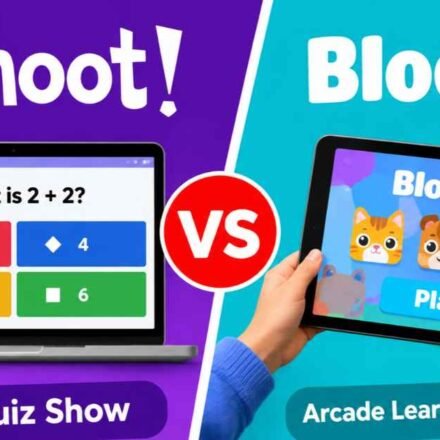
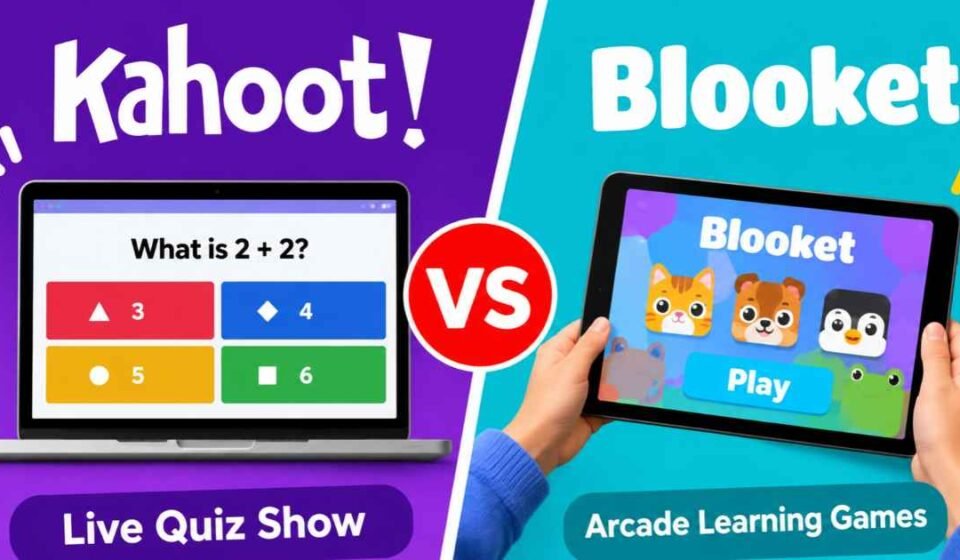
Quick Answer Kahoot operates as a synchronous live quiz show where the teacher controls the pace, making it ideal for whole-class instruction and immediate formative assessment. Blooket functions as an asynchronous arcade where students move through a question set at their own speed while playing individual mini-games. Use Kahoot to introduce new concepts or check class-wide understanding. Use Blooket for independent homework, high-repetition vocabulary review, and classrooms with more than forty students.
The Core Difference: Live Quiz Show vs. Arcade Games
These platforms approach digital learning from completely opposite directions. One relies on shared attention and instructor control, while the other relies on independent pacing and continuous repetition. Understanding this architectural difference helps you match the tool to your specific lesson objective.
The Kahoot Experience (Teacher-Paced)
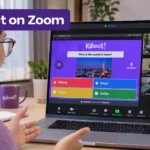
Kahoot is a traditional live quiz show. When you host a live Kahoot session, every student in the room looks at the main smartboard to read the question. The class answers together, waits for the timer to expire, and watches the leaderboard update simultaneously.
This synchronous design gives the teacher absolute control over the instructional pace. If sixty percent of your students select the wrong answer, you can pause the game immediately. You hold the entire room’s attention, explain why the distractor answer was incorrect, and ensure everyone understands the concept before advancing to the next slide.
Because the platform boasts a massive public library of over forty thousand ready-made quizzes, teachers can often find a perfect pre-built lesson in seconds. This format works exceptionally well for diagnostic testing at the beginning of a unit or rapid pulse-checks during a lecture.
The Blooket Experience (Student-Paced)
Blooket abandons the shared smartboard model entirely. Instead, it wraps your multiple-choice question set inside distinct arcade mini-games. Students might run a virtual cafe, build a tower defense system, or hack cryptographic passwords.
To succeed in the mini-game, the student must answer your academic questions on their personal screen to earn in-game currency or supplies. This creates an asynchronous, student-paced environment. Fast readers can fly through thirty questions in five minutes, while slower readers might only complete ten questions in the same time frame.
Because the game mechanics distract from the repetitive nature of the questions, students willingly answer the same question set multiple times without realizing they are drilling vocabulary. This makes the platform incredible for rote memorization and end-of-unit reviews.
Gameplay Mechanics: Speed vs. Luck
The way each platform awards points significantly changes how students react to the assessment. You must consider your classroom’s personality before deciding which scoring metric will motivate them.
Kahoot heavily rewards speed. If two students select the correct answer, the student who clicked faster earns more points. This creates intense, fast-paced competition. However, this speed penalty often frustrates careful, methodical thinkers who know the material but simply process text at a slower pace.
Blooket relies heavily on random number generation and luck mechanics. In popular game modes like Gold Quest, a student might answer a question correctly and open a chest that steals twenty-five percent of the class leader’s gold. A student with perfect academic accuracy could lose the game to a student who guessed randomly but received lucky items.
Accessibility for Slower Readers
When planning for special education students or those with Individualized Education Programs (IEPs), pacing becomes a critical factor. The ticking clock on a shared smartboard often induces performance anxiety.
Blooket removes this specific anxiety because students operate on their own independent screens without a central countdown clock rushing them. Conversely, the luck-based mechanics in Blooket sometimes infuriate high-achieving students who feel cheated when their academic knowledge does not guarantee a victory.
To compete with this independent arcade style, the older platform has started rolling out its own alternative Kahoot game modes, but its core identity remains firmly rooted in the high-speed, whole-class format.
Pricing and Free Tier Limitations
Software budgets dictate which tools teachers can actually use every day. Both companies aggressively limit their free versions to encourage schools to purchase premium licenses, but their exact player caps differ noticeably.
Player Caps (40 vs. 60)
If you teach large classes or combine periods for a massive review game, you need to understand the hard limits on free accounts. Reviewing free Kahoot limits shows that K-12 teachers on the basic tier can host up to forty players per game.
Blooket provides a more generous free tier for large groups, allowing you to host up to sixty players in a single game without hitting a paywall.
If you require a paid upgrade, Kahoot pricing starts at a modest monthly rate to bump the player cap higher. Blooket Plus costs a standard annual subscription fee and expands the room capacity to three hundred players.
The Analytics Paywall
Interactive quizzes lose their pedagogical value if you cannot view the results after the bell rings. Both platforms restrict how much data free users can extract.
Kahoot provides basic reporting after each session, showing you which specific questions the majority of the class missed. However, the free tier restricts exporting detailed, long-term student tracking data to spreadsheets.
Blooket also hides deep analytical features behind its Plus subscription. The free version does not provide detailed per-question accuracy reports for individual students. Because the game relies on students answering questions repeatedly in a random order, mapping a Blooket score directly to a traditional gradebook requires a paid upgrade for enhanced reports.
Classroom Management and Distractions
Gamification increases engagement, but it also increases noise, excitement, and off-task behavior. Managing the classroom environment requires knowing how students will react to the software.
Kahoot creates a unified, loud environment. Because everyone answers at once and waits for the scoreboard to reveal the top five players, the room experiences synchronized bursts of cheering or groaning. The teacher remains the focal point of the room, controlling when the noise stops by pausing the presentation.
Blooket creates a decentralized, chaotic environment. Students focus entirely on their personal screens. While the room might sound quieter initially, students frequently shout out when a classmate steals their virtual currency or hacks their in-game password.
Furthermore, students earn points to collect and customize avatars called “Blooks.” While this character progression encourages students to return to the software, you must actively monitor the room to ensure they are actually reading the questions rather than just playing with their avatar inventory.
Student Engagement and Psychological Retention
Understanding how students mentally process information on each platform reveals why retention rates vary between the two systems.
When students play Kahoot, their adrenaline spikes due to the public leaderboard updates. This competitive stress can solidify memory for high-performing students, but it can completely shut down cognitive processing for students who experience severe test anxiety. The pressure to look at the board, read the answers, and tap the correct shape within five seconds creates a high-pressure testing environment disguised as play.
On the other hand, Blooket utilizes variable-ratio reinforcement schedules similar to video games. By hiding the learning material inside an entertaining arcade wrapper, the platform eliminates the stigma of taking a quiz. Students do not feel like they are being evaluated.
This psychological safety encourages lower-performing students to participate without fear of public embarrassment. However, educators must watch out for superficial engagement, where students click through answers blindly just to return to the mini-game portion of the software.
Customization and Content Creation Workflows
The amount of time an educator spends building or editing a resource often dictates whether a platform gets adopted long-term. Both systems offer robust editors, but their workflows cater to different preparation styles.
Kahoot provides a streamlined quiz creator that supports multiple-choice questions, true-or-false prompts, puzzle sorting, and slide insertions. Teachers can pull questions directly from the massive public database, mixing pre-made questions with their own custom queries in minutes.
Blooket also features a flexible question set builder, but its real power lies in importing spreadsheets. Teachers who already store vocabulary lists or math facts in Excel or Google Sheets can upload those CSV files directly into Blooket to generate a game set instantly.
However, because Blooket ties those question sets to multiple arcade modes, a single set might play out entirely differently depending on whether you choose Tower Defense or Gold Quest. Educators must test out the game mode beforehand to ensure the time limit matches the complexity of the questions.
The Final Verdict: When to Use Which Platform
Neither platform completely replaces the other. The best instructional technologists recommend using both tools at different stages of the learning journey.
You should use Kahoot when introducing a new topic, conducting a formal diagnostic assessment, or leading a structured class discussion. The synchronous design forces students to look up at the board and listen to your explanations between questions. It is highly effective for direct instruction.
You should use Blooket for end-of-week reviews, vocabulary drills, and asynchronous homework assignments. The arcade mechanics disguise the repetition required for memorization. Students will happily answer the exact same math facts twenty times in a row if it allows them to build a better virtual cafe.
Frequently Asked Questions (FAQ)
Are Gimkit and Blooket the same? No, though they share a similar design philosophy. Both platforms wrap question sets inside independent mini-games. However, Gimkit focuses on a single in-game economy where students purchase power-ups and upgrades, whereas Blooket offers entirely separate arcade modes.
Can students play Blooket at home for homework? Yes. You can assign a specific question set as homework. Students play the game independently on their own devices before your assigned due date, making it an excellent alternative to traditional paper worksheets.
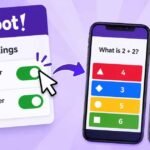
Which platform is better for younger students? Kahoot is generally easier for early elementary students to navigate. It displays one large question on the main board with up to four distinct colored shapes as answers, making it visually simple. Blooket’s arcade modes contain complex rules and reading-heavy menus that younger children often struggle to understand without direct assistance.