





















Almost every student and teacher immediately recognizes the bouncy, energetic tune that plays before a trivia game begins. The waiting room soundtrack has grown far beyond a simple background loop, inspiring millions of streams on major music platforms, viral internet remixes, and massive online nostalgia among young adults.
Despite the song’s massive popularity, many users struggle to figure out how to actually interact with the audio settings within the game. Teachers often wonder how to switch the background track to fit a specific holiday theme, while students want to know where they can download the original song to study to.
Quick Answer: Kahoot Music The original Kahoot theme, officially titled “Lobby Music (Original Soundtrack),” was composed by Alf Inge Wang. If you are hosting a game and want to change this track, open the game lobby, click the gear icon to access the host settings, and select a new track from the “Lobby music” dropdown menu. The platform offers official variations like 8-bit, Halloween, and Reggae. However, the system currently does not allow you to upload your own custom MP3 files to play in the main waiting room.
Who Made the Kahoot Music? The Story Behind the Song
While many people assume a large audio production company created the iconic trivia soundtrack, the true origin is much more academic. The original tracks were composed by Alf Inge Wang, a professor of game technology at the Norwegian University of Science and Technology.
Wang is actually one of the original co-founders of the educational platform. While Johan Brand, Jamie Brooker, and Morten Versvik are frequently mentioned when discussing who made Kahoot, Wang developed the underlying prototype and created the music to accompany it.
He wanted a melody that felt both highly energetic and slightly suspenseful. The goal was to match the competitive nature of classroom trivia without creating something so chaotic that it distracted students from learning. The resulting synthesizer track became an unintentional viral hit, deeply associated with the modern classroom experience.
How to Change the Kahoot Lobby Music for Your Game
If you hear the standard theme multiple times a week, you or your students might eventually want a change of pace. The platform includes several official alternative tracks built directly into the software. You just need to know exactly where to find the audio menu.
Step-by-Step Instructions for Hosts
You cannot change the background music while you are actively editing questions in the creator studio. You must launch the live game first.
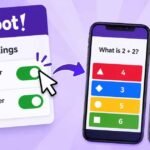
Before you officially open the game room to players and display the PIN on the board, the Kahoot host needs to click the small gear icon located on the screen. This icon opens the host settings panel. Scroll down the panel until you locate the “Lobby music” section.
Click the dropdown menu and select your preferred track from the list. The new song will begin playing immediately over your speakers while players join the room. Once you close the settings menu and start the game, the chosen track will stop, and the standard gameplay music will take over.
Available Official Themes and Remixes
The platform frequently updates the dropdown menu to include new seasonal tracks and thematic remixes. When you open the list, you will usually find the standard original track alongside several fun variations designed by the developers.
Popular built-in themes include an 8-bit version that sounds like a retro arcade game, a Halloween version featuring spooky sound effects, and a Winter Holidays track featuring sleigh bells. You can also select specific genre remixes, such as Funk, Reggae, and Fantasy. Some of the newer alternative game modes, like Submarine Squad and Chill Art, also have their own dedicated soundtracks available to choose from in this menu.
The In-Game Countdown Audio
It helps to understand that the waiting room music and the actual gameplay music are two completely separate audio tracks. When you search for the music online, you will find the lobby track listed separately from “The 20 Second Answer Medley.”
The answer medley is the ticking, fast-paced audio that plays while the question timer counts down. This track is deliberately designed to build urgency and excitement as students Kahoot play the game. The tempo of the music actually changes depending on the length of the timer the host has selected. A 10-second timer sounds much more frantic than a 60-second timer.
If you notice that the ticking sound makes your students anxious or distracts them from reading long answers, you cannot change the track to something relaxing. Instead, you must mute the game audio entirely using the volume controls on your classroom computer or smartboard.
Can You Upload Custom Music or MP3s to Kahoot?
One of the most frequent questions from teachers is whether they can upload their own MP3 or WAV files to play in the waiting room. Perhaps they want to play classical music while students log in, or a pop song related to the day’s lesson plan.
The direct answer is no. The platform currently does not support custom audio uploads for the main lobby. You are restricted entirely to the official tracks provided in the dropdown menu.
Workarounds for Adding Audio to Questions
While you cannot change the lobby music to a custom song, you can add specific audio to individual trivia questions. This requires a small workaround using YouTube.
Instead of uploading an MP3 from your hard drive, upload your desired audio track to YouTube as a standard video. Then, go to the Kahoot creator studio, click on a specific question, and select “Add media.” Choose the YouTube link option and paste your video URL into the box.
The platform allows you to set specific start and stop times for the video. When that specific question appears on the screen during the live game, your custom YouTube audio will play in the background instead of the standard ticking timer. This is highly useful for music teachers conducting “Name that Tune” quizzes or language teachers testing listening comprehension.
Where to Stream the Kahoot Theme Song
Because the soundtrack became a viral internet phenomenon, the company officially released the music on major streaming platforms. You do not have to rely on low-quality screen recordings on YouTube to listen to the song while you study or work.
You can find the high-quality, lossless tracks by searching for the official artist name, “Kahoot! AS,” on Spotify, Apple Music, and YouTube Music. The official verified profiles feature the original lobby soundtrack, the answer medleys, and high-quality studio versions of the holiday and genre remixes.
The official Spotify playlist currently holds millions of streams, proving that the music has a massive audience outside the classroom.
The Rise of Unofficial Trap and Lo-Fi Remixes
If you search for the music on YouTube or SoundCloud, you will quickly encounter thousands of unofficial remixes created by fans and amateur music producers.
During the late 2010s, creating “Trap remixes” of the lobby theme became a massive viral trend. These remixes added heavy bass, hip-hop drum loops, and synthesizer drops to Alf Inge Wang’s original melody. More recently, producers have created “Lo-Fi study beats” using the melody, slowing the tempo down and adding relaxing vinyl crackle effects so students can listen to it while doing homework.
While you cannot use these unofficial remixes inside the actual game software, they represent a massive part of the platform’s internet culture and enduring popularity.
Frequently Asked Questions
What is the Kahoot song officially called? The most famous track that plays while players join the game is officially titled “Lobby Music (Original Soundtrack).” The music that plays during the actual questions is titled “The 20 Second Answer Medley.”
Why does the Kahoot music make me feel stressed? The lobby music is designed to be upbeat and welcoming, but the music that plays during the questions uses a fast tempo and a prominent ticking clock sound effect. This audio psychology creates a sense of urgency, which encourages players to answer quickly and raises the competitive energy in the room.
Can players change the music on their own phones? No. The background music is controlled entirely by the person hosting the game on the main screen. Players only hear sound effects for right and wrong answers on their personal devices, which they can mute using their physical phone volume buttons or the mute switch on their device.
Are there different lobby tracks for different holidays? Yes. Kahoot frequently updates the host settings menu to include seasonal tracks for a limited time. During October, a Halloween remix is usually available, and during December, a Winter Holiday track featuring sleigh bells is typically added to the dropdown menu.