





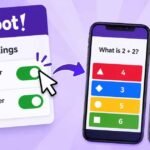













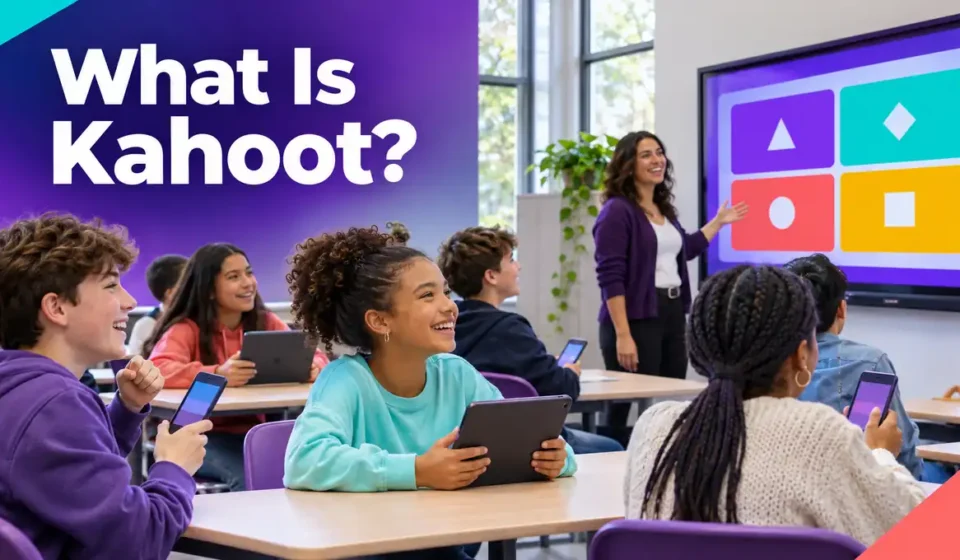

Imagine walking into a classroom where the teacher puts a question on the screen. Instead of raising their hands or writing answers on paper, students pick up their phones and tap the answer they think is correct. A few seconds later, everyone can see the result.
That’s the basic idea behind Kahoot, an online platform that turns quizzes into interactive learning games. Teachers use it to review lessons, students use it to practice subjects, and families play it for fun. The questions can be simple enough for elementary school or challenging enough for workplace training.
But how does Kahoot actually work? And do you need an account, a game PIN, or a paid subscription to use it? Let’s start with the basics.
Quick Answer: What Is Kahoot?
Kahoot is an online, game-based learning platform where people create, share, and play interactive quizzes called kahoots. A teacher or another host starts a game, while participants join using a game PIN, invitation link, or QR code. Players answer questions on their phones, tablets, or computers, with scoring depending on the selected game mode. Kahoot is commonly used for classroom reviews, independent study, employee training, and trivia competitions. Joining games is free, and users can create basic quizzes without paying, although some features require a subscription.
What Is Kahoot and Why Do People Use It?
Kahoot is a digital quiz platform designed to make learning and knowledge checks more interactive. Instead of answering questions on a worksheet, participants respond through a browser or mobile app while the game records their answers.
One reason people enjoy Kahoot is that it feels different from a traditional test. Questions appear with colorful answer choices, and certain game experiences include timers, points, and rankings. Players receive feedback as the activity progresses, which helps them recognize mistakes.
The platform is especially popular in educational settings, but it isn’t limited to schools. People can use it for almost any topic that works well in a question-and-answer format.
How Teachers Use Kahoot in Classrooms
Teachers often use Kahoot at the beginning or end of a lesson. A short quiz before teaching can reveal what students already know, while an activity afterward can show which concepts need more explanation.
Imagine a fifth-grade teacher who has just finished explaining fractions. Instead of immediately assigning homework, the teacher runs a ten-question Kahoot about comparing fractions and identifying equivalent values.
If several students choose the wrong answer to the same question, the teacher knows where to focus the next explanation. The game becomes a quick way to check understanding, not simply a competition.
Teachers looking for more lesson ideas can explore different ways of using Kahoot in the classroom, including reviews, warm-up activities, and knowledge checks.
How Students Use Kahoot for Studying
Students can use Kahoot to practice school subjects and identify information they haven’t fully understood. Quizzes can cover mathematics, history, English, geography, and science.
For example, a student preparing for a biology test might answer questions about the digestive system. If they confuse the functions of the stomach and small intestine, they can review that section of their notes before trying another activity.
This makes Kahoot useful for revision because it encourages students to recall information. However, students still need to understand why an answer is correct rather than memorize which colored button to press.
Is Kahoot Only for Education?
No. Kahoot is also used for workplace training, presentations, family gatherings, and trivia nights. A business might use it to review cybersecurity rules, while friends could organize a quiz about sports or geography.
The format remains similar in each setting. Someone prepares the questions, participants join the activity, and the group answers together or completes an assigned quiz independently.
That’s why the platform appeals to different audiences. The questions and learning goals change, but the basic process is easy to understand.
How Does Kahoot Work? A Real Classroom Example
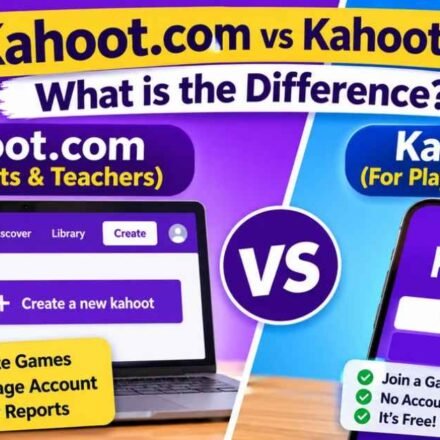
Kahoot usually involves two roles: the host and the players. The host prepares or selects a quiz and manages the activity, while players join and answer questions using their devices.
To understand how these roles work together, imagine a teacher organizing a science quiz for a class of 25 students.
Step 1: The Teacher Chooses a Quiz
The teacher signs in to Kahoot and selects a quiz about the solar system. The activity contains questions about the planets, their positions, and their characteristics.
The teacher can choose an existing quiz or prepare one using the platform’s creation tools. Questions may include text, answer choices, images, and other supported content.
Before beginning, the teacher checks that the questions match what students have learned and that the answer options are clear.
Step 2: The Teacher Starts the Game
Once the quiz is ready, the teacher chooses a live game experience. Kahoot opens the hosting screen and displays joining information for the session.
In a typical classroom setup, the teacher uses a projector or smartboard so students can see the questions. There is also an option to display questions and answers directly on participants’ devices.
The teacher can adjust supported settings before the game begins, including options related to gameplay and participation.
Step 3: Students Join Using Their Devices
The teacher shares the game PIN, and students open Kahoot’s joining page on their phones, tablets, or computers.
Each student enters the code and follows the instructions to join. Depending on the settings, they may choose a nickname or complete an additional security step.
Once everyone is ready, the teacher starts the game. Students don’t usually need individual Kahoot accounts just to participate.
Step 4: The Class Answers Questions
The first question asks which planet is closest to the Sun. Students read the answer choices and select the option they believe is correct.
When the question ends, Mercury is shown as the correct answer. The teacher can briefly explain why Mercury is closer to the Sun than Venus before continuing.
As the game progresses, Kahoot records answers and calculates results according to the selected experience. In Classic mode, players generally earn more points for answering correctly and quickly.
Step 5: The Teacher Reviews the Results
After the final question, the teacher can examine the available results to understand how students performed.
Suppose most students answered the questions about Earth and Mars correctly but struggled with the difference between meteors and meteorites. That gives the teacher a useful topic to revisit.
A high score can make the game exciting, but the educational benefit comes from identifying mistakes and explaining the underlying concepts.
How Do You Join and Play a Kahoot Game?
Joining a Kahoot game is straightforward. You generally need an internet-connected device and valid joining information from the person hosting the activity.
You can use a supported web browser or the Kahoot mobile app. For most standard games, installing the app and creating an account are optional.
How to Join Kahoot With a Game PIN
Follow these steps to join a live game:
- Open a browser on your phone, tablet, or computer.
- Visit Kahoot’s official game joining page.
- Enter the game PIN shared by your host.
- Follow any additional verification instructions.
- Choose a nickname or use a generated one.
- Wait for the host to begin the game.
- Read the questions and select your answers.
Some hosts share a direct joining link or QR code instead of asking players to type a PIN.
If you’re playing for the first time, our Kahoot join guide explains the joining methods and common problems in greater detail.
What Is a Kahoot Game PIN?
A Kahoot PIN is a temporary code used to identify a particular game session or assignment. The host receives the joining information when preparing the activity and shares it with participants.
The code isn’t a password for your personal account. It simply helps connect you to the correct game.
Players cannot generate their own PIN for someone else’s session. If you don’t have the code, you’ll need to request it from the host.
What Happens if a Kahoot PIN Doesn’t Work?
A PIN might stop working if the associated game has ended or the host has restarted the session. Entering an incorrect number can also prevent you from joining.
Check the code carefully and confirm that the host is still running the activity. If a link isn’t opening correctly, try using the current PIN directly through the joining page.
Some sessions also use 2-Step Join. In that case, participants must follow a pattern displayed on the host’s screen before entering the game. This is a security setting rather than a problem with the code.
What Are the Different Kahoot Game Modes?
Not every Kahoot game works in the same way. Some experiences focus on speed and competition, while others allow people to answer carefully or complete activities independently.
The best option depends on the purpose of the activity. A fast trivia competition may need different settings from a mathematics lesson involving several calculation steps.
| Game Experience | How It Works | Best For |
|---|---|---|
| Classic | Players compete using correctness and response speed | Classroom competitions |
| Accuracy | Correct answers count without speed-based scoring | Careful learning checks |
| Team | Participants work together in groups | Collaborative activities |
| Assignment | Learners complete questions independently | Homework and training |
| Solo Practice | One person studies without a live host | Individual revision |
Classic Mode vs. Accuracy Mode
Classic is the familiar competitive Kahoot experience. Players answer questions, earn points for correct responses, and compete for positions on the leaderboard.
Answering quickly can help increase a player’s score, provided the answer is correct. This makes Classic suitable for activities where competition is part of the experience.
Accuracy mode works differently. Instead of rewarding faster responses, it focuses on whether players answer correctly. Under the current Accuracy experience, a correct answer generally earns one point.
For a lesson involving reading comprehension or multistep calculations, this can help reduce pressure on students who need extra thinking time.
How Does Kahoot Calculate Points?
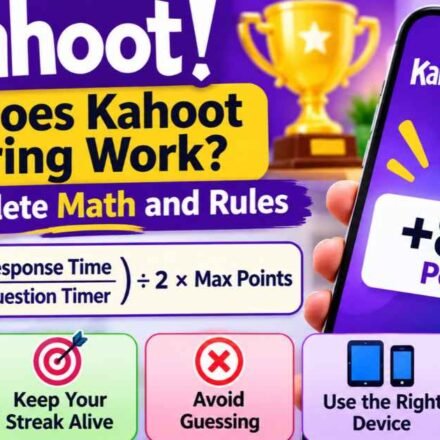
Kahoot’s standard scoring system considers the question’s point value, whether the answer is correct, and how quickly the player responds.
For example, two students might answer the same question correctly. If one submits the answer sooner, that student may earn more points in Classic mode.
Other experiences and question types use different scoring rules. Our detailed guide to Kahoot scoring explains how points and response time affect results.
Live Games vs. Self-Paced Assignments
During a live Kahoot, the host controls the session while participants play together. This works well for classroom reviews because the teacher can discuss questions as the activity progresses.
A self-paced assignment allows learners to complete questions independently. A teacher might assign a geography quiz on Monday and ask students to finish it before Friday.
In an assignment, learners see questions on their own devices and progress according to the available settings. They don’t need to wait for the entire class to answer each question.
Is Kahoot Free for Students and Teachers?
Yes. Kahoot provides free accounts and allows participants to join supported games without purchasing a subscription. Basic quiz creation and hosting are also available without payment.
However, free access doesn’t include every question type, reporting feature, or participant capacity. The available options depend on the account type and subscription.
For someone trying Kahoot for the first time, the free version is generally a practical starting point.
What Can You Do With Kahoot for Free?
Free users can access several core activities, depending on their account type and current feature availability.
These include:
- Joining supported live games.
- Exploring publicly available quizzes.
- Creating quizzes with eligible basic question types.
- Hosting games within the applicable participant limits.
- Using supported study and practice features.
Some advanced tools require a paid plan. Before upgrading, it’s worth checking whether the free features already cover the activity you want to organize.
Our explanation of Kahoot free features covers the distinction between basic access and subscription-based tools.
Can Teachers Host Kahoot Without Paying?
Teachers can create and host eligible Kahoot games using free accounts. However, the number of players allowed in a session depends on the account and subscription type.
A small classroom quiz and a large school-wide competition may require different plans. Teachers should check the current participant limit before planning an activity involving many students.
The same distinction applies to some advanced question types and reporting features. A feature available in one paid plan might not be included in another.
Do Students Need a Paid Account?
No. Students generally don’t need a paid subscription to join a game hosted by someone else.
They can usually participate by entering the joining information and following the host’s instructions. A personal account becomes useful when they want to create content or access account-based learning features.
Younger users may also be subject to age-related privacy restrictions, so parents and teachers should follow Kahoot’s current account guidance.
Is Kahoot Good for Learning? Benefits and Limitations
Kahoot can make classroom activities more interactive, but its educational value depends on how teachers use it. A quiz that tests meaningful concepts can support learning, while random questions may provide little more than entertainment.
The platform is particularly useful when teachers treat answers as feedback. Students benefit when incorrect responses lead to explanations and further practice.
Benefits of Using Kahoot in Education
One advantage is that Kahoot lets teachers collect responses from many students during the same activity. Instead of hearing from only a few volunteers, teachers can examine how the group answered.
It also provides opportunities for retrieval practice. Students must recall information from memory rather than simply reread notes, which can help reveal what they remember and what needs further review.
Another benefit is flexibility. Teachers can use Kahoot for short lesson introductions, revision activities, independent assignments, or discussions built around quiz results.
Limitations Teachers Should Consider
Speed-based scoring can place pressure on students who need more time to read, think, or calculate. Some learners may become discouraged if they repeatedly finish near the bottom of a leaderboard.
Internet connectivity and device availability can also affect participation. A student with an unreliable connection may struggle to answer before a timer ends.
Kahoot results should therefore be interpreted carefully. A student who answers quickly may understand the material, but a high score alone doesn’t prove that they can explain or apply every concept.
How to Make Kahoot More Effective
Teachers can improve a Kahoot activity by choosing questions that match specific learning goals. Each question should test something students need to understand.
For difficult topics, allow sufficient response time and consider an accuracy-focused experience. After a question produces several incorrect responses, pause to discuss the reasoning instead of moving immediately to the next one.
A simple follow-up activity can make the quiz more useful. Ask students to explain one answer they got wrong or write a short explanation of a concept they found difficult.
That turns the game into a starting point for learning rather than treating the final leaderboard as the only result.
Frequently Asked Questions About Kahoot
Who Can Create a Kahoot Game?
Users with eligible Kahoot accounts can create quizzes. The available question types and creation features depend on the account and subscription.
Can Two People Play Kahoot Together?
Yes. Two people can participate in a supported Kahoot activity, provided the selected game experience and account settings allow it.
Can You Play Kahoot Without Installing the App?
Yes. Participants can join many Kahoot games through a supported web browser on a computer, tablet, or smartphone.
Is Kahoot Safe for Elementary School Students?
Kahoot offers age-related account restrictions and privacy controls. Teachers and parents should supervise younger students, choose appropriate content, and avoid unnecessary sharing of personal information.
Can You Join a Kahoot After It Has Started?
In supported live game experiences, late participants can join while joining remains available. They may miss questions that were completed before they entered the session.
Final Thoughts
Kahoot is an online platform that makes it possible to create and play interactive quizzes. Teachers use it to check understanding, students use it to practice information, and other groups use it for training or trivia activities.
For beginners, the easiest way to understand Kahoot is to join a short game and see how the questions, answers, and scoring work. Creating and hosting a quiz becomes easier once you’re familiar with the player experience.
In education, the best use of Kahoot goes beyond choosing the correct answer. Reviewing mistakes, discussing explanations, and applying what students learned can make a short quiz genuinely useful.